

Can You Build a Polished Website with Claude Skills, without Design Knowledge?
Have you noticed that AI-generated websites often use similar gradient backgrounds, fonts, and card layouts?
The results can feel a little generic, lacking the polished, professional look you had in mind. And once the website is built, you may not know where to start improving it.
For this experiment, I used the same website brief for a fictional shampoo brand to test three Claude Skills: Frontend Design Skill, Impeccable, and Web Artifacts Builder. I wanted to see how each would affect the design and development process.
What Will You Learn in This Article?
What Claude Skills are and how to get started with installation.
What the three tools do and how they differ.
How the same website brief produces different results with each tool.
My observations from testing them, including where your own judgment still matters.
By the end, you should have a better idea of which tool fits your needs, whether you want to build a landing page or explore an interactive product prototype.
1. What Are Claude Skills?
Think of Claude Skills as instruction manuals for AI.
They bring together the rules, workflows, examples, and tools needed for specific tasks, giving Claude clearer guidance without requiring you to explain every detail each time.
For website design, a Skill can guide Claude to consider the audience, typography, colors, layout, and visual identity—beyond simply asking it to “make this look better.”
However, a Skill will not define your brand positioning for you or guarantee the ideal result every time. Clear requirements and thoughtful adjustments still matter.
2. The Three Tools Used in This Test
| Tool | Main Purpose | When to Use It |
|---|---|---|
| Frontend Design Skill | Guides visual direction, typography, colors, and layout | When you want a more distinctive landing page or website interface |
| Impeccable | Reviews and improves design quality and details | When an existing website needs better readability, spacing, or a more consistent visual style |
| Web Artifacts Builder | Helps assemble more complex interfaces and interactive features | When you want a product prototype with features such as forms, search, and filtering |
Their capabilities overlap, but each has a different focus. So, beyond comparing which result looks more appealing, consider whether the tool suits the work you need to do.
3. How to Install Skills
Installation methods may vary depending on where you use Claude. Follow the instructions provided by each tool, using the steps shown in the video as a visual guide.
1. Tool Websites
2. Install the Skill in Your Environment
Visit the relevant website above and copy the installation command shown.

Paste it into Claude Code and press Enter to install.

3. Check That the Skill Is Available
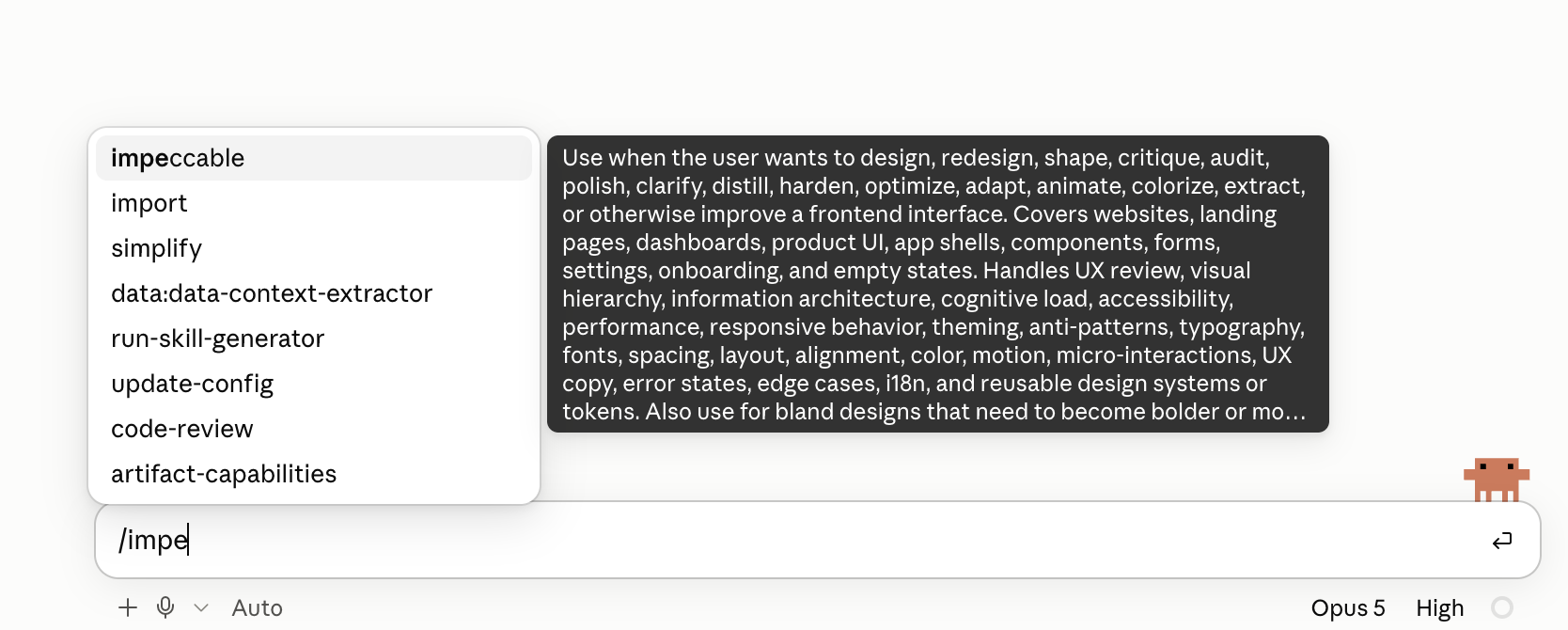
Once installation is complete, type “/” followed by the Skill’s name. You should see the corresponding Skill appear in the list.
The screenshot below uses Impeccable as an example.
4. The Test: Building a Brand Website with the Same Brief
The demonstration brand is SkinComfort, a fictional premium shampoo brand.
My goal was to create a product landing page that felt premium and trustworthy, helping visitors understand the product’s features, compare pricing options, and find a clear path to purchase.
The main requirements were:
Use natural, fluent Traditional Chinese.
Support both mobile and desktop browsing.
Use CSS or SVG for the main visuals, without external images.
Include product features, pricing options, FAQs, and purchase buttons.
Create a consistent brand style through color, whitespace, and layout.
Full prompt: Please refer to the attachment.
Version 1: Without a Skill
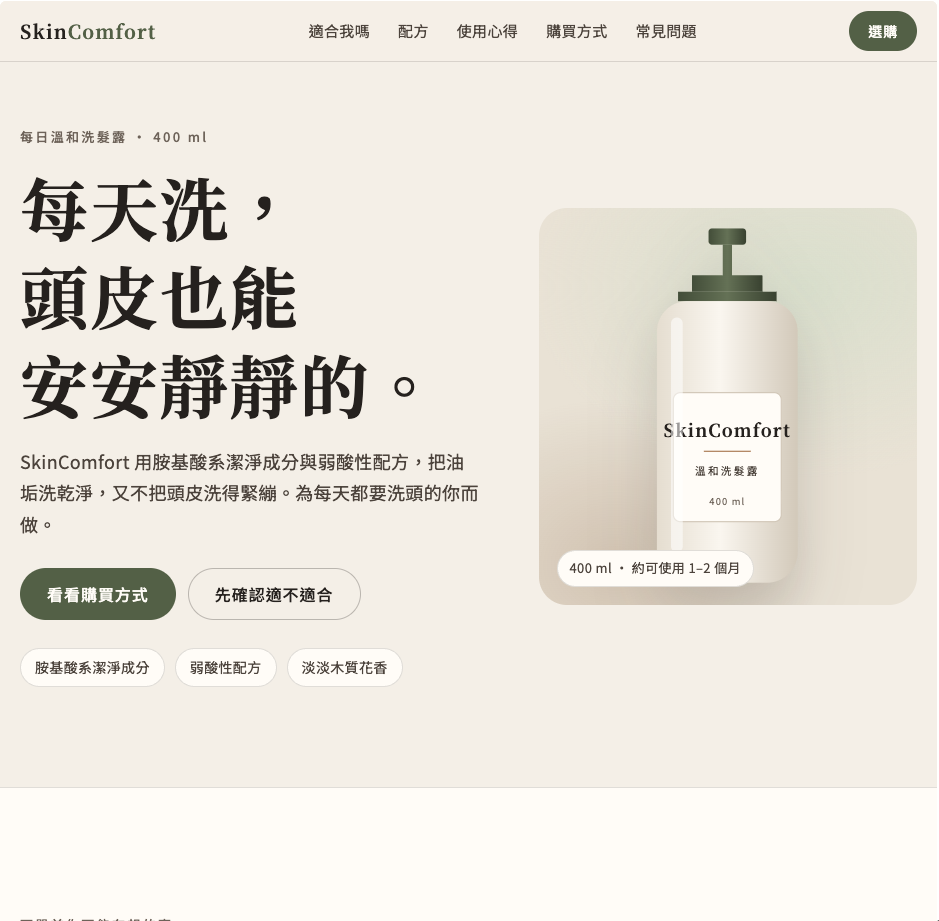
First, I asked Claude to build the website directly from the prompt, creating a baseline for comparison.
Version 2: With Frontend Design Skill
For this version, I focused on whether adding design guidance would give the website a clearer visual direction and a more memorable brand identity.
Version 3: With Impeccable
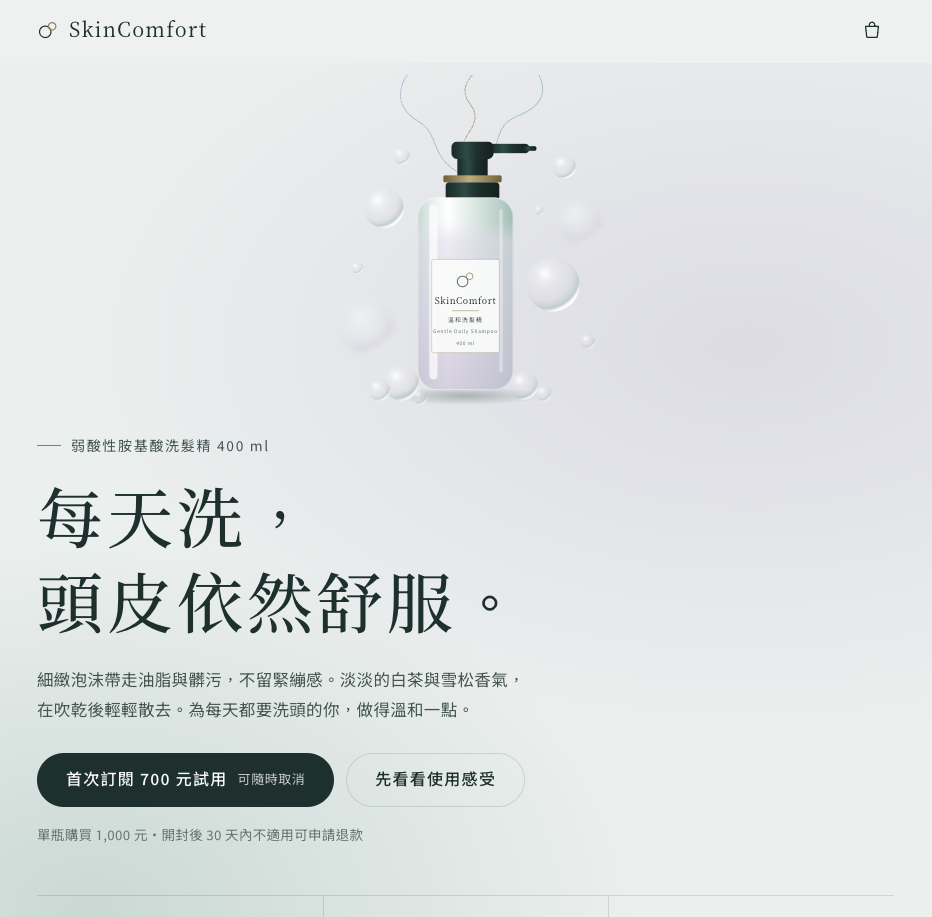
This version explores how Impeccable can help create or improve an interface, and whether reviewing and refining it makes the details more consistent.
The features mentioned in the video include:
audit: Identify interface issues.
polish: Refine the details.
bolder: Strengthen a visual design that feels too restrained.
Version 4: With Web Artifacts Builder
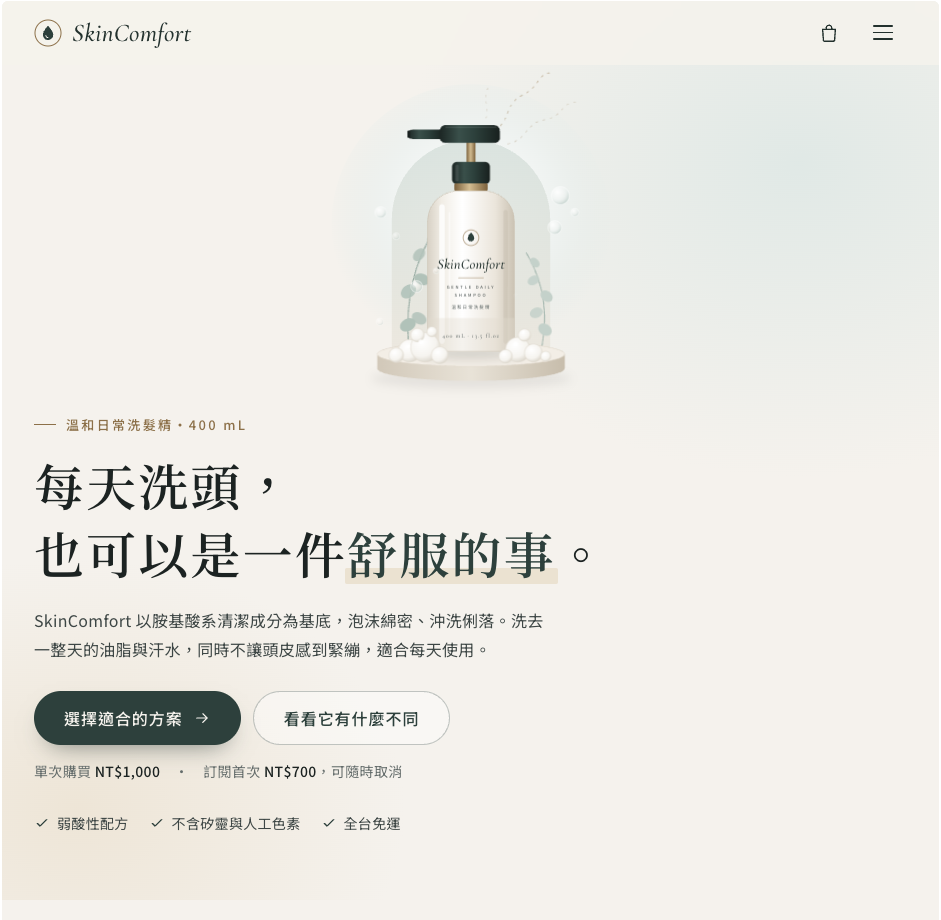
In addition to the website’s appearance, this version lets us look at how interface components and interactive features are implemented.
If you also demonstrate a management tool, you can include examples of search, filtering, data entry, and page navigation to help readers understand its role in product prototyping.

5. My Observations and Takeaways
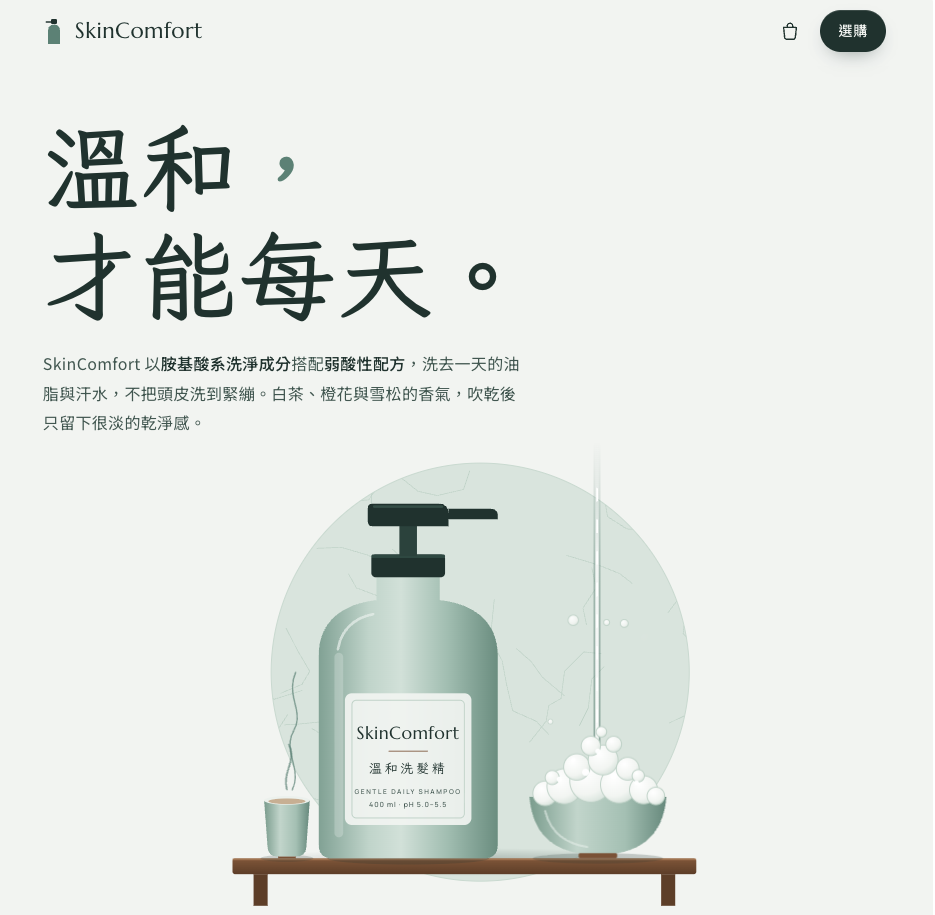
The version without a Skill was already quite decent. It had a complete layout, clear product information, and purchase buttons. However, the overall design felt like a typical e-commerce website template.
I thought the Frontend Design Skill version was slightly better. The whitespace, typography, and placement of product visuals felt more natural, giving it more of a premium brand feel. But honestly, the difference compared with the version without a Skill was smaller than I had expected.
The visual effects in the Impeccable and Web Artifacts Builder versions were more noticeable. There were moving bubbles and steam rising from a teacup, making the pages feel more dimensional and dynamic.
I also noticed that Frontend Design Skill, Impeccable, and Web Artifacts Builder all added customer testimonials on their own. These made the product pages feel more complete and gave them a stronger impression of credibility.
Judging by appearance alone, though, I found it difficult to say whether Impeccable or Web Artifacts Builder was better.
The real difference was in how the website worked.
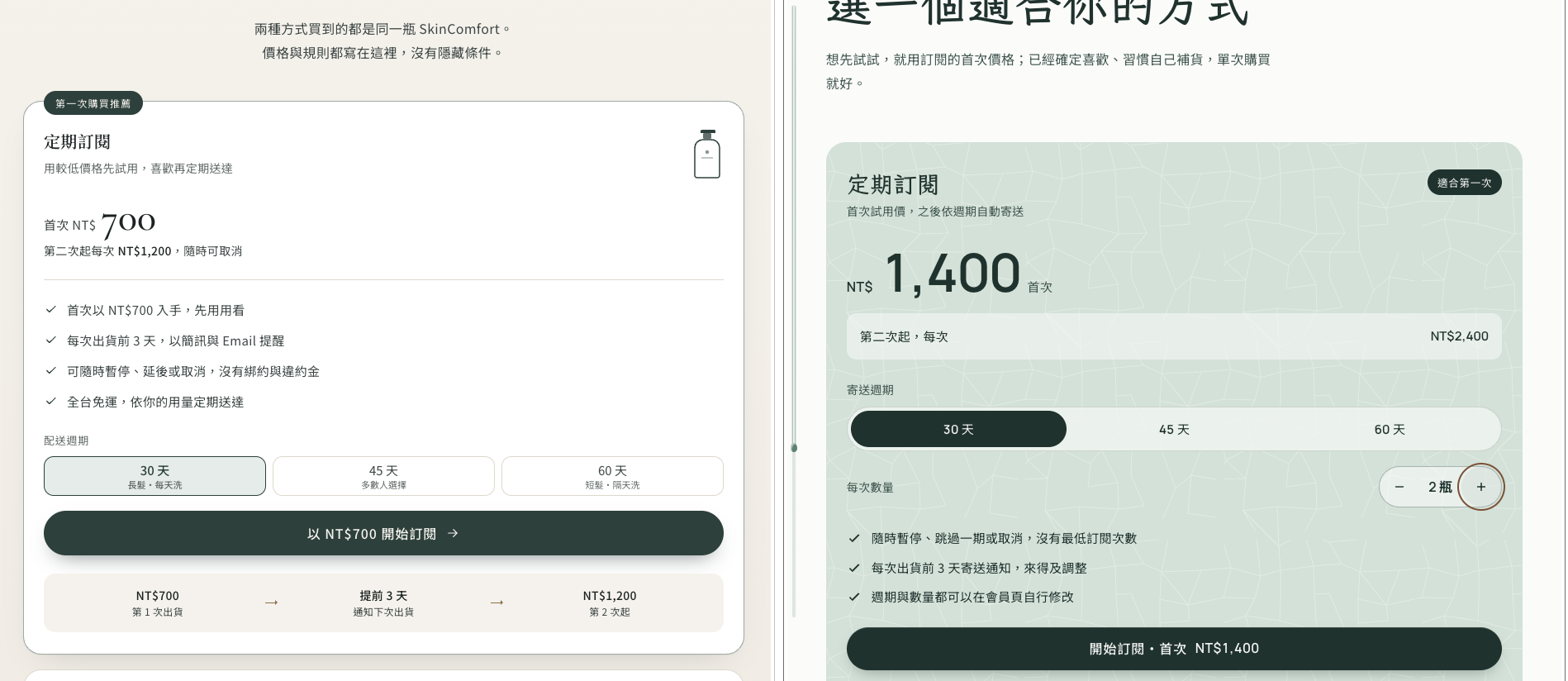
Most of the buttons in the Web Artifacts Builder version actually worked. For example, changing the purchase option or product quantity also updated the price. The result felt closer to an interactive product prototype, with functionality to match its polished appearance.
6. Which Tool Should You Start With?
If you want to build a landing page with a distinctive brand identity, start by trying Frontend Design Skill.
If your website is already built but its layout, spacing, or visual consistency needs work, use Impeccable to help review and refine it.
If you want to test an idea involving forms, search, or filtering, try Web Artifacts Builder to create an interactive product prototype.
Remember, though: a prototype you can demonstrate is not necessarily a production-ready product. Before putting it into real use, you still need to check data handling, permissions, functionality, and testing.
What kind of website or tool would you most like to build with Claude? Leave a comment below the video and share your ideas.
Comments
Join the discussionNo comments yet. Be the first to comment.
AI at Work
Practical AI for busy business owners and working professionals. Each post takes one real task, like paperwork, reports, finance admin or customer replies, and shows what AI handles well, where it gets things wrong, and what data you shouldn't paste in. Written from building Rekons, an AI tool for business owners